
Export Data from Any Apple Health App or Device
Last updated: June 29th, 2026

By Marina
Co-founder, vitalina
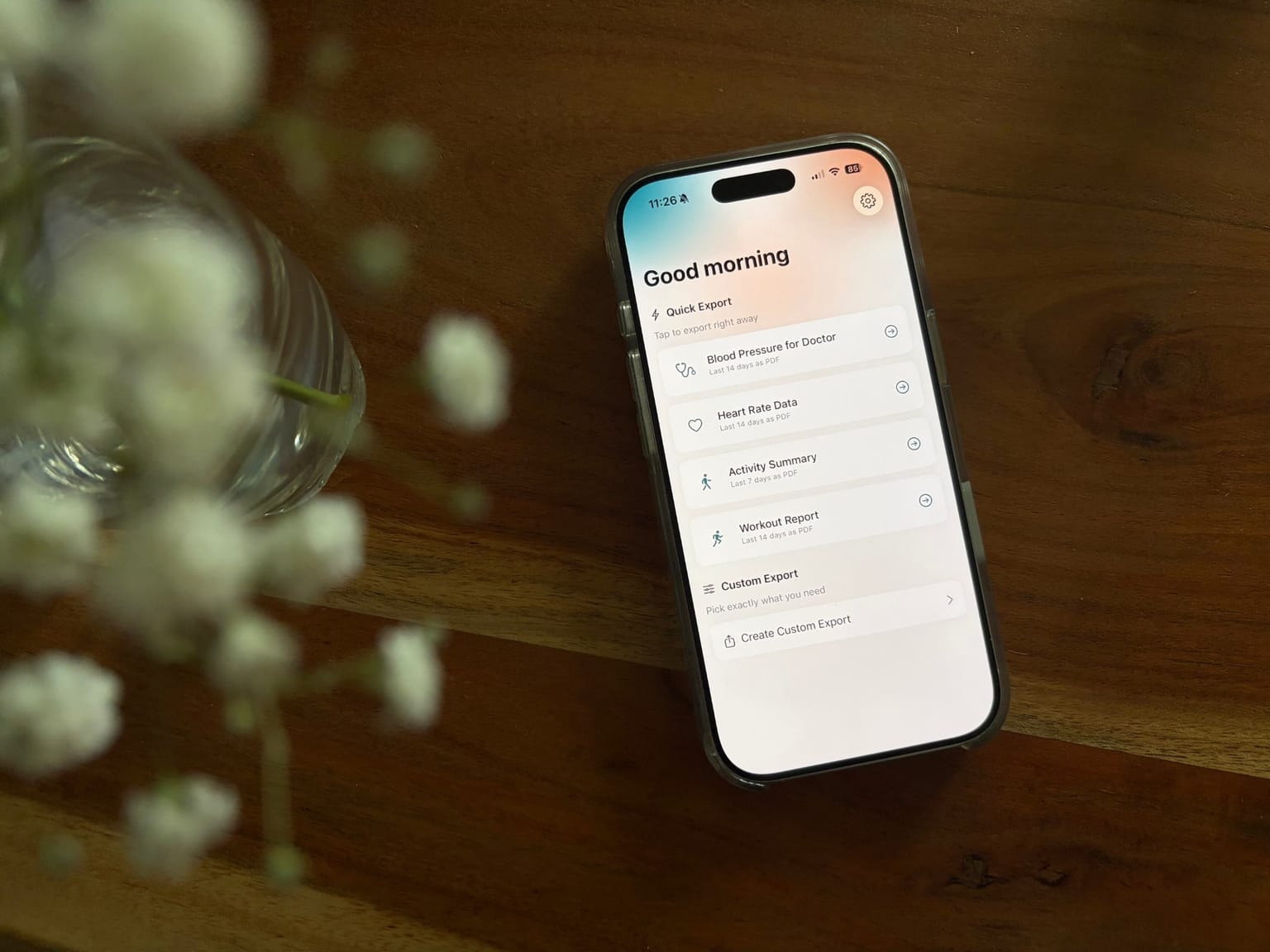
Your smart scale, blood pressure cuff, CGM, sleep tracker, or food-logging app probably saves its readings to Apple Health. That is great for keeping everything in one place - but most of these apps give you no way to get the data back out in a format you can hand to a doctor or open in a spreadsheet.
That is exactly what vitalina does. It reads your Apple Health data on your iPhone and exports it as a clean PDF report (with trend charts), a CSV for Excel or Google Sheets, or JSON - no matter which app or device originally recorded it.
The one rule: if it's in Apple Health, vitalina can export it
vitalina does not connect to Renpho, Omron, Flo, or any other service directly. It does not need to. Those apps already sync their readings into Apple Health, and vitalina reads from there. So whether your weight came from a Withings scale or a Renpho scale, and whether your glucose came from a Stelo or a Dexcom, the export works the same way.
One thing to check first: the other app needs your permission to write its data into Apple Health. Most apps ask for this when you first connect them, but if you skipped it the data never reaches Apple Health - and vitalina can only export what is actually there. You can turn the permission on in the source app's own settings, or in iOS Settings → Privacy & Security → Health → the app, then enable the categories you want it to write (for example Weight or Blood Pressure).
Not sure if your data is there? Open the Health app, tap Browse, and look for the metric. If readings show up, vitalina can export them.
Smart scales (weight & body composition)
Smart scales sync your weight, BMI, and body-fat readings to Apple Health. vitalina exports that history as a doctor-ready PDF or a CSV you can open in Excel.
- Renpho - Renpho Health smart scales - weight, BMI, and body composition
- Withings - Body, Body+, and Body Scan scales
- Eufy - Smart Scale P2 and C1
- Garmin - Index S2 smart scale
- iHealth - connected smart scales
Blood pressure monitors
Connected blood pressure cuffs write systolic and diastolic readings to Apple Health. vitalina turns them into a clean log for your cardiologist or GP.
- Omron - OMRON connect - upper-arm and wrist monitors
- Withings - BPM Connect and BPM Core
- iHealth - connected blood pressure monitors
- Qardio - QardioArm wireless monitor
Continuous glucose monitors (CGM)
CGMs and glucose meters log readings to Apple Health. vitalina exports them as a chart-backed PDF or a CSV for spreadsheets and analysis - no big table of raw numbers.
- Stelo - Dexcom Stelo glucose biosensor
- Dexcom - Dexcom G6 / G7 via the Dexcom app
- Freestyle Libre - Libre sensors via LibreLinkUp / supported apps
- One Drop - connected glucose meters
Sleep trackers
Dedicated sleep apps and beds record stages, duration, and disturbances into Apple Health. vitalina exports the full picture for a sleep specialist.
- AutoSleep - automatic sleep tracking from Apple Watch
- Sleep Cycle - sleep stages and quality scores
- Eight Sleep - Pod cover sleep and temperature data
- Sleep Number - SleepIQ data synced to Apple Health
- Pillow - automatic and manual sleep sessions
Cycle & fertility apps
Period and fertility apps log flow, symptoms, and basal body temperature to Apple Health. vitalina exports just your cycle history for your OB-GYN or fertility clinic.
- Flo - period and ovulation tracking
- Natural Cycles - FDA-cleared fertility data
- Clue - cycle and symptom logging
- Apple Health - cycle data logged directly in the Health app
Nutrition & calorie trackers
Food logging apps write calories, macros, and water to Apple Health. vitalina exports your nutrition history for a dietician or nutritionist.
- Yazio - calories and macro tracking
- Lifesum - meals, macros, and water
- Lose It! - calorie and nutrient logging
- MyFitnessPal - nutrition data synced to Apple Health
Fitness & workout apps
Run and workout apps save sessions, heart-rate zones, and calories to Apple Health. vitalina exports your workout history with the detail competitors miss.
- Strava - runs and rides synced to Apple Health
- Runna - guided run sessions
- HealthFit - detailed workout metrics
- Nike Run Club - runs synced to Apple Health
Apple Watch & iPhone built-in data
You do not need a third-party app at all. Anything your Apple Watch or iPhone records on its own - heart rate, ECG, steps and activity, sleep, and blood oxygen - lives in Apple Health and exports the same way.
Do I need to keep the original app installed?
No. Once readings sync to Apple Health, they stay there even if you delete the app that created them. vitalina reads the data straight from Apple Health, so you can export your full history at any time - even from an app you stopped using months ago.
How to export, in under two minutes
- Download vitalina and allow read-only access to Apple Health.
- Pick the metric you want - weight, blood pressure, glucose, sleep, and so on.
- Choose a date range (up to 14 days free, up to all time with Pro).
- Export as PDF, CSV, or JSON and share via email, AirDrop, or print.
For a full walkthrough, see the how-to-export tutorial.
How much does vitalina cost?
vitalina is free with 5 unique exports and date ranges up to 14 days. vitalina Pro is a one-time purchase from €3.99 (max €4.99 by region, no subscription) that unlocks unlimited exports, extended date ranges up to all time, and Shortcuts automation. Re-exporting the same configuration is always free.
Frequently asked questions
Can vitalina export data from my Renpho scale, Omron monitor, or other third-party app?
Yes. vitalina reads whatever is stored in Apple Health, no matter which app or device recorded it. If your Renpho scale, Omron monitor, Stelo CGM, Flo cycle app, or Yazio food log syncs to Apple Health, vitalina can export that data to PDF, CSV, or JSON.
How do I know if my app's data is in Apple Health?
Open the Apple Health app, go to Browse, and look for the metric (for example Weight, Blood Pressure, or Sleep). If readings appear there, your app is syncing to Apple Health and vitalina can export them. Most fitness and health apps offer an Apple Health connection in their settings.
My app's data is not showing up in Apple Health. How do I fix it?
The source app needs permission to write its data into Apple Health. Open the app's settings and enable its Apple Health connection, or go to iOS Settings → Privacy & Security → Health, select the app, and turn on the data categories you want it to write. Once the readings appear in the Health app, vitalina can export them.
Do I need the original app to export my data?
No. Once data has synced to Apple Health, it stays there even if you delete the original app. vitalina reads it directly from Apple Health, so you can export your full history without reopening the app that recorded it.
Is my data safe when exporting from third-party apps?
Yes. vitalina processes everything locally on your iPhone with read-only access to Apple Health. Nothing is uploaded to any server, there is no account, and there is no tracking. The exported file stays on your device until you choose to share it.
What languages does vitalina support?#
vitalina is fully localized in 7 languages - English, German, Spanish, French, Portuguese (Brazil), Japanese, Russian. The app interface and every Apple Health metric name are translated, so your exports come out in your language. This page is in English, but the app follows your device language with no setup required. For example, Heart Rate appears as:
| Language | Heart Rate |
|---|---|
| EnglishEnglish | Heart Rate |
| GermanDeutsch | Herzfrequenz |
| SpanishEspañol | Frecuencia cardíaca |
| FrenchFrançais | Fréquence cardiaque |
| Portuguese (Brazil)Português (Brasil) | Frequência cardíaca |
| Japanese日本語 | 心拍数 |
| RussianРусский | Пульс |
Keep reading
Other Apple Health export guides
Step-by-step tutorials for every metric vitalina can export.
- Export Blood PressureSystolic and diastolic readings for your cardiologist.
- Export Heart RateResting, active, and HRV for your cardiologist or sports medicine doctor.
- Export Blood GlucoseCGM and fingerstick readings for your endocrinologist.
- Export Sleep DataSleep stages and duration for sleep specialists.
- Export WeightWeight, BMI, and body fat trends for your dietician or GP.
- Export ActivitySteps, distance, and active energy for physical therapy or rehab.
- Export WorkoutsWorkout sessions with duration, calories, and heart rate.
- Export Cycle TrackingPeriod flow, spotting, cramps, and basal body temperature for your OB-GYN.
- Export Calories & NutritionDaily calories, macros, vitamins, and minerals for your dietician or nutritionist.
- Export ECGApple Watch ECG strips with waveform, classification, and average heart rate for your cardiologist.
- Export Mental Health (State of Mind)Apple Health mental health logs with valence, emotion labels, and life-context associations for your therapist or psychiatrist.
- Export SymptomsGeneral Symptoms like fever, cough, and dizziness with their severity for your doctor.
- Export MedicationsYour Apple Health medication list and full dose log for your doctor - iOS 26 and later.
- Export Format ReferenceExact CSV columns and JSON schemas, plus a searchable dictionary of every exportable Apple Health metric.
- Export ExcelOpen your Apple Health CSV in Excel and build charts or PivotTables - works on Windows, Mac, and iPad.