
How to Export Mental Health Data (State of Mind) from Apple Health
A step-by-step guide to exporting your Apple Health mental health data - your State of Mind logs - as a single clinical-grade PDF, CSV, or JSON for your therapist, psychiatrist, or GP.
Last updated: June 18th, 2026

By Marina
Co-founder, vitalina

State of Mind is the mental health feature Apple added to the Health app in iOS 17 - the way iPhone and Apple Watch capture how you feel today, week by week, alongside your sleep, heart rate, and activity. Every time you tap a face on the Mindfulness app or the Mental Wellbeing section of the Health app, Apple stores a State of Mind log with the exact valence you chose, the emotion labels you selected, and the life-context associations you tagged - family, work, fitness, health, and the rest.
If your therapist, psychiatrist, or GP asks to see a few weeks of those mental health entries - to track an antidepressant trial, follow up on an anxiety treatment plan, monitor a course of CBT, or look for patterns around stressful events - the Health app gives you no tidy report. You can read each log on screen, but there is no built-in export button for your mental health data.
This guide shows you how to export every State of Mind log in your chosen date range as a single PDF, CSV, or JSON file using vitalina, a free iPhone app that reads your Apple Health mental health data locally and generates a therapist-ready mood report in under two minutes.
Why Apple Health has no built-in mental health export
Unlike an ECG strip, a State of Mind entry has no native "Export a PDF for Your Doctor" option in the Apple Health app - mental health data is the one category Apple has not yet given a one-tap clinician share. You can scroll your history, tap into a single log to see the valence and labels, and view a coloured chart - but there is no built-in way to hand a series of mood logs to a therapist or psychiatrist.
You can export all of your Apple Health data as XML, but the result is a giant Export.zip archive in which your mental health logs are buried alongside steps, sleep, and every other metric your iPhone has ever recorded - not readable by a human and not useful to a therapist.
vitalina solves this by reading your Apple Health data locally and letting you export every State of Mind log in a chosen date range as one tidy mental health report - PDF, CSV, or JSON.
What you'll need
- An iPhone running iOS 17 or later
- At least one State of Mind log in the Apple Health app - logged from the Mindfulness app on Apple Watch or from the Mental Wellbeing section in Health
The walkthrough · 8 steps · ~2 min
How to export mental health data, step by step
Download vitalina
Download vitalina from the App Store. It's free to use with no account or sign-up required.
Allow access to Apple Health
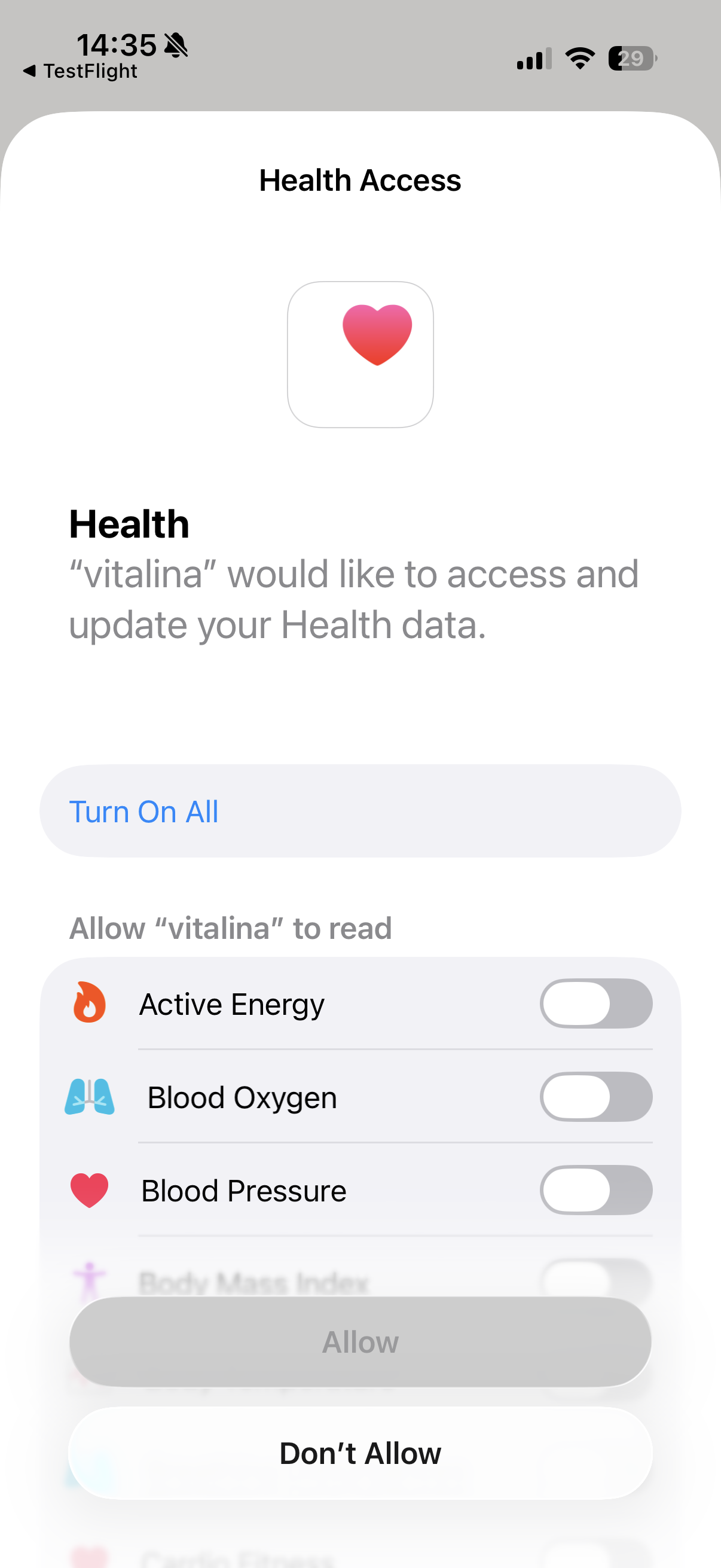
When you first open vitalina, tap Allow Health Access and confirm the permissions in the Apple Health prompt. Make sure State of Mind is enabled in the permission list - it sits in the Mental Health / Mental Wellbeing section alongside Mindful Minutes.
vitalina only requests read access; it cannot modify or delete your health data. Your data never leaves your device - everything is processed locally on your iPhone with no cloud uploads, no tracking, and no analytics.
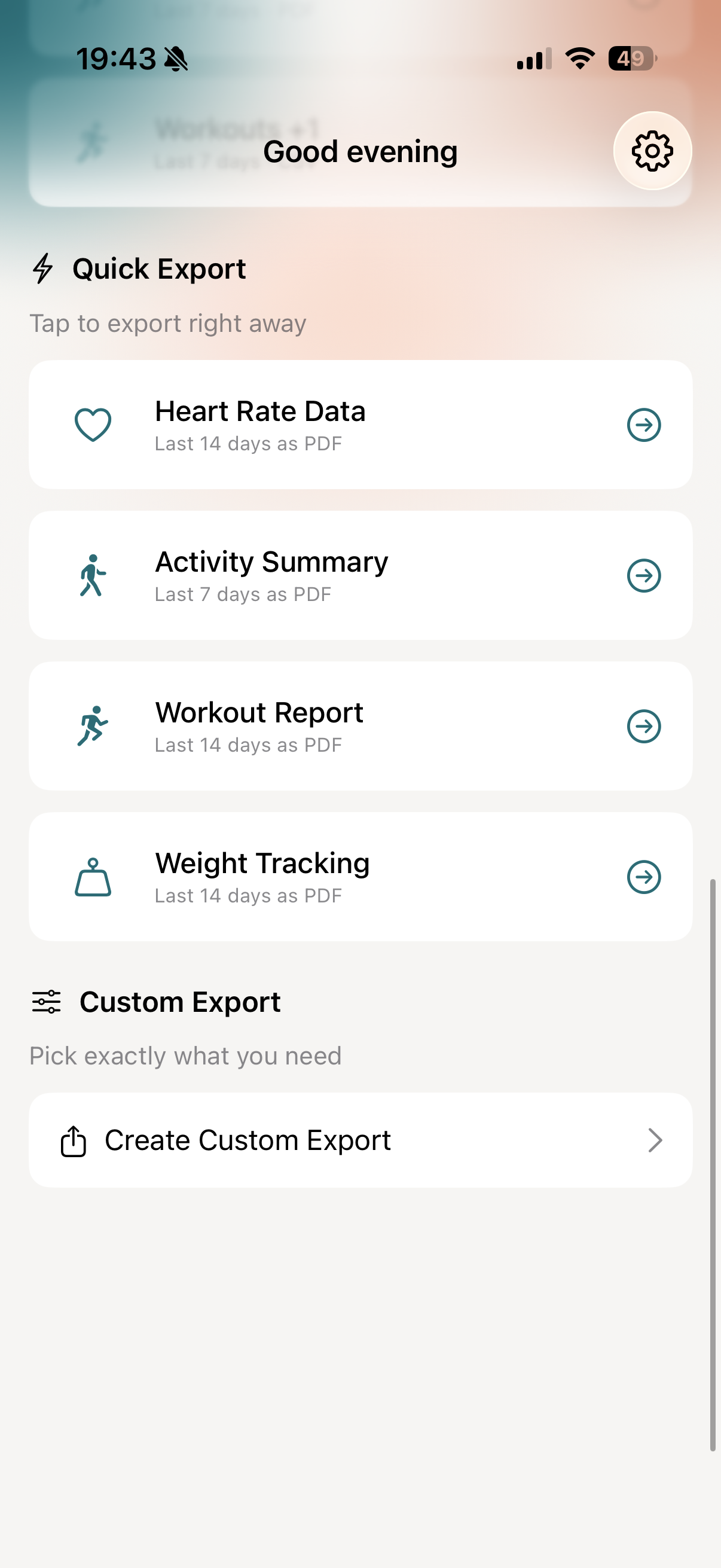
Pick a Quick Export template or create a custom export
On the main screen, you'll see a set of one-tap Quick Export templates. If you prefer full control over which vitals are included and the date range, tap Create Custom Export instead. The rest of this guide walks through the custom export flow.
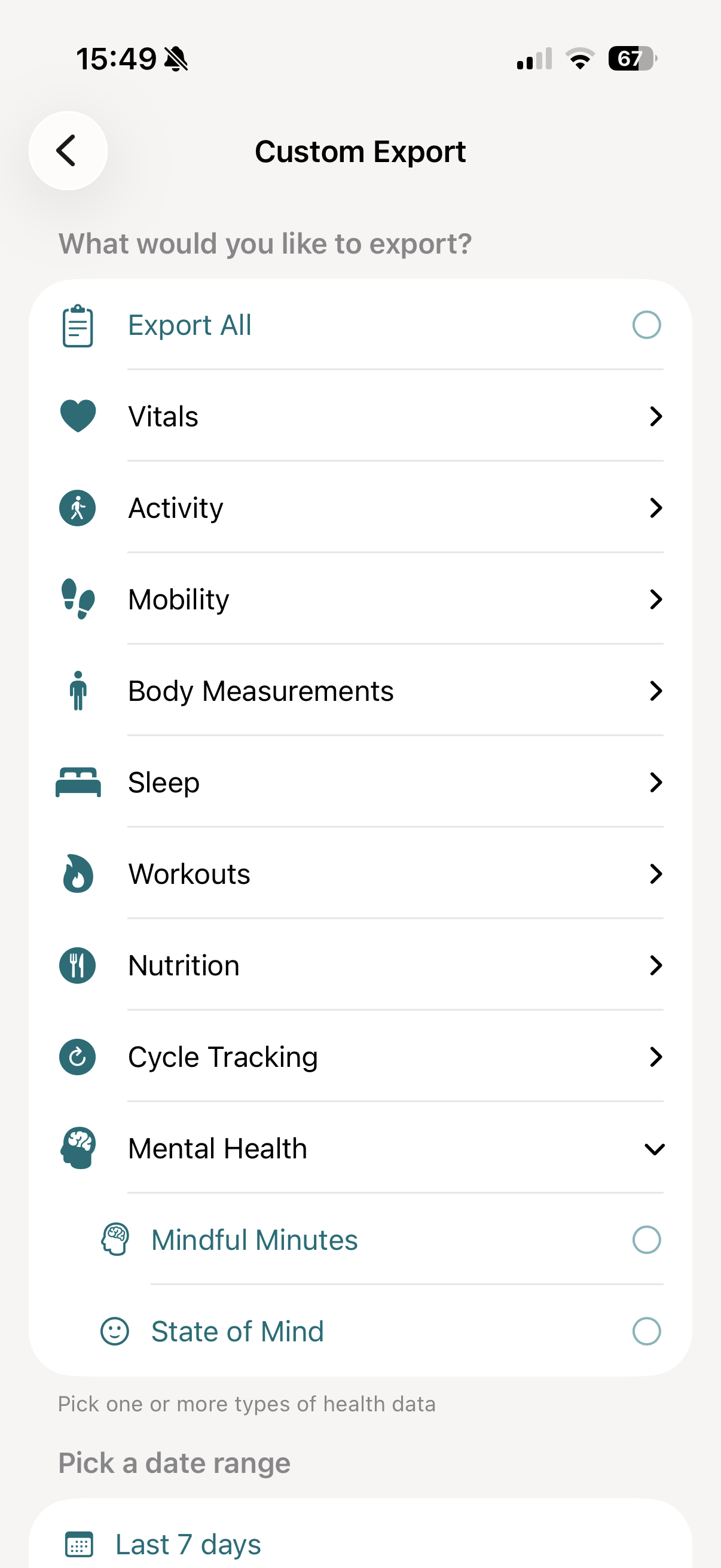
Select State of Mind and Mindful Minutes
In a custom export, scroll through the vitals list and open the Mental Health group. It contains two metrics:
- State of Mind - every momentary emotion and daily mood you logged, with valence, classification, emotion labels, and life-context associations.
- Mindful Minutes - every meditation or mindfulness session recorded by the Apple Watch Mindfulness app or a third-party app (Calm, Headspace, Insight Timer, Balance, and others that write to HealthKit), with start time, duration in minutes, and source.
Tap one or both. Many therapists like to see them together - the valence line next to your weekly meditation minutes is a tidy snapshot of self-care plus mood.
If you also want context around each entry - sleep, workouts, or heart rate variability on the same days - tap them on the same screen and they'll appear in the same PDF.
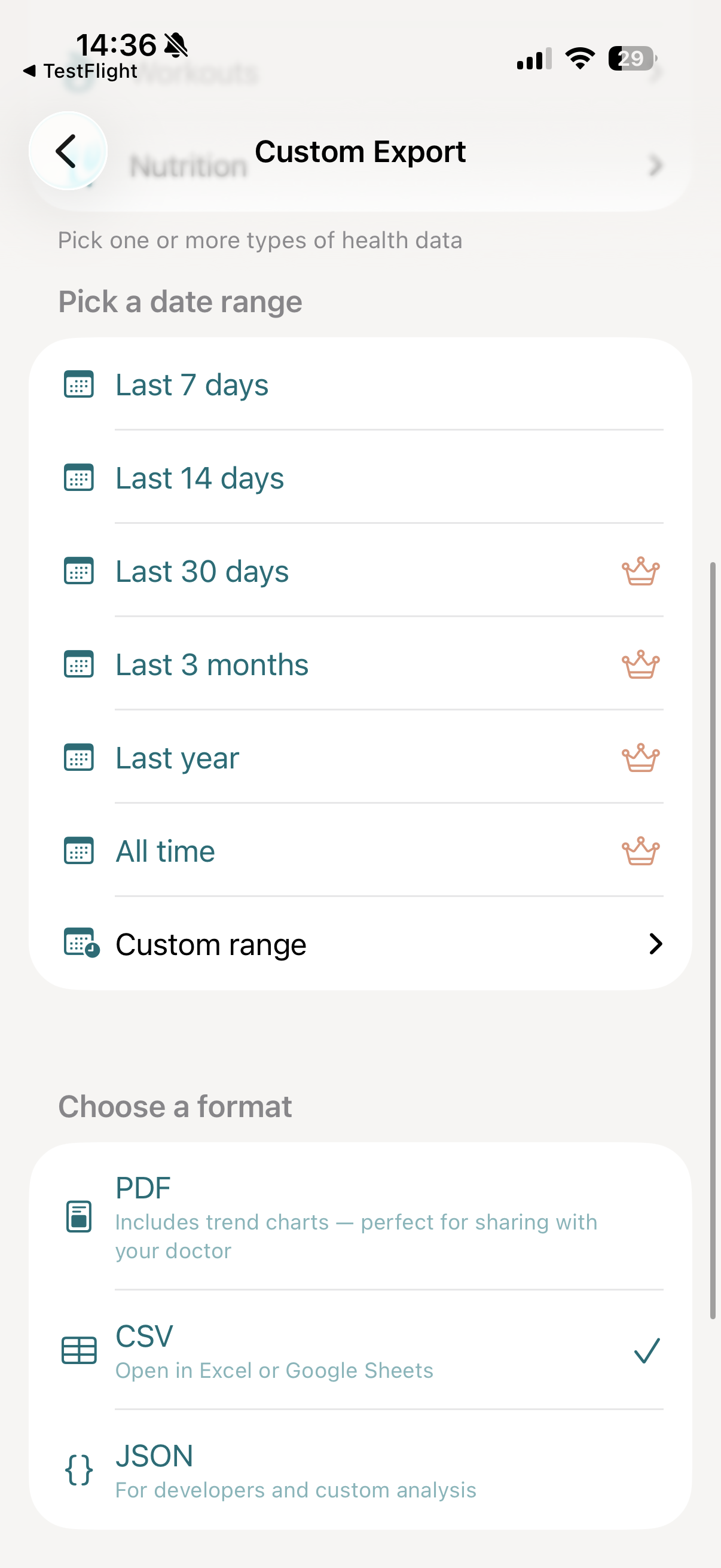
Pick a date range
Therapy follow-ups and medication trials tend to span a few weeks to a few months. vitalina lets you choose exactly how far back to go:
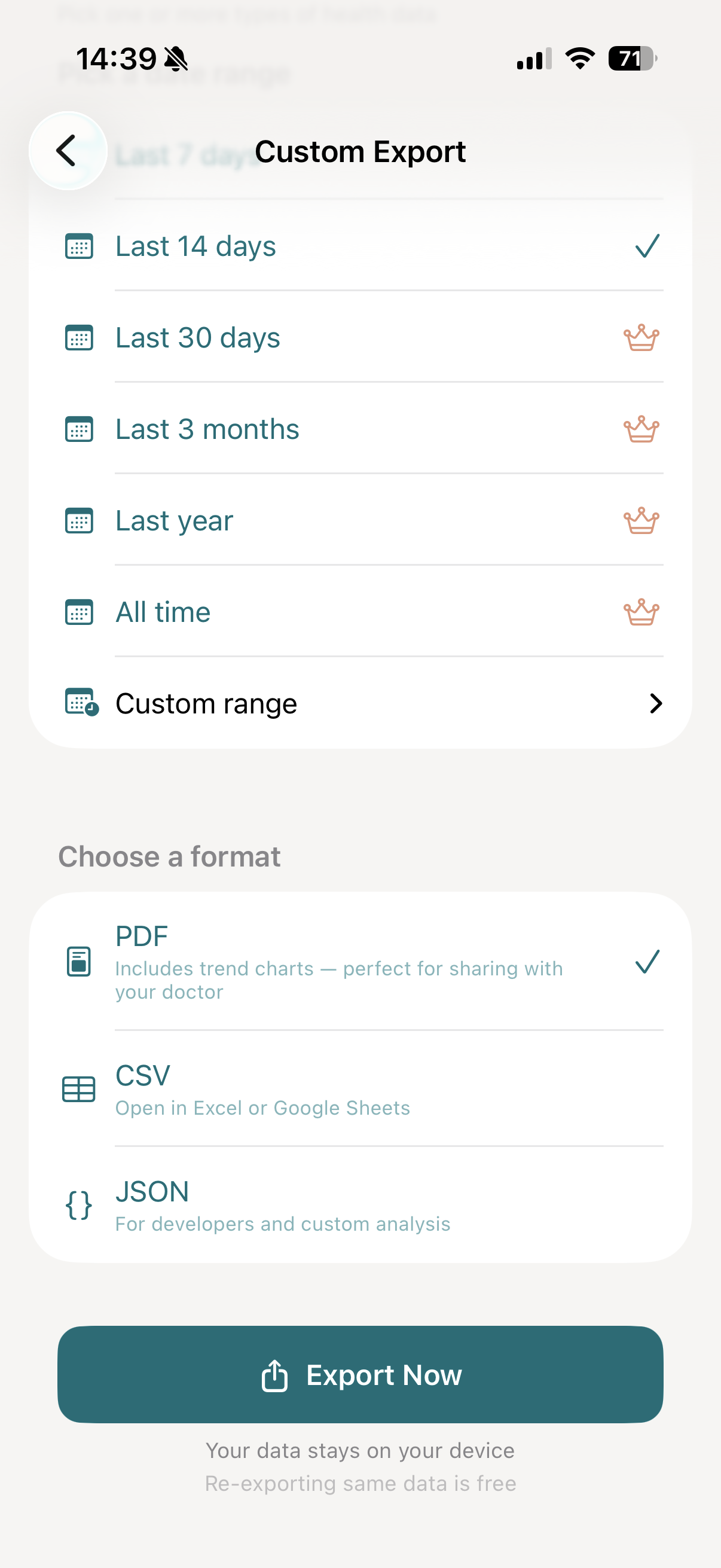
- Last 7 days and Last 14 days - available for free
- Last 30 days, 3 months, 1 year, and All time - available with vitalina Pro
- Custom date range - pick any exact start and end date with Pro
If your psychiatrist asks for several months of mood history to assess an SSRI trial, or you want to bring every log since your last appointment, the Pro upgrade is a one-time purchase that unlocks all extended date ranges.
Choose your export format
For State of Mind mental health data, three formats each have a clear role:
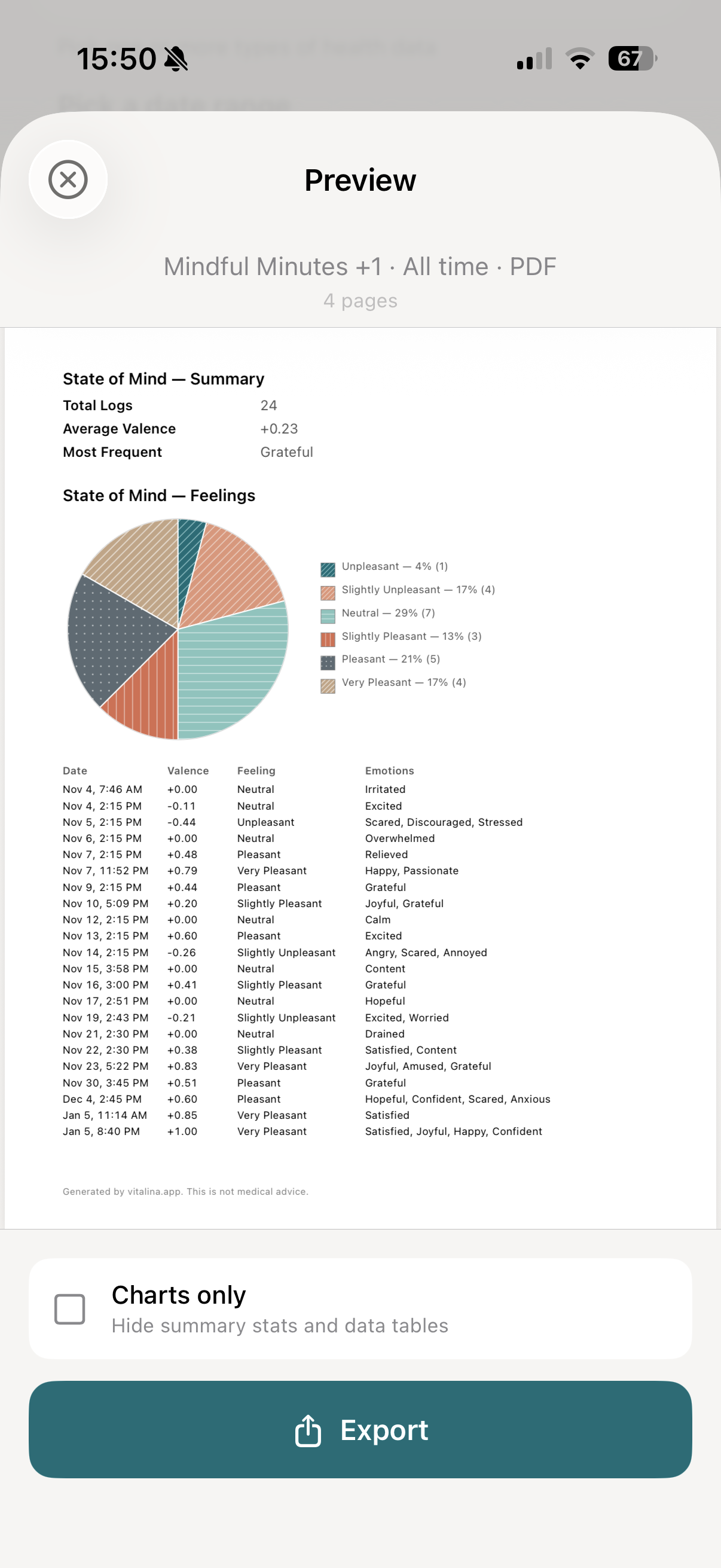
- PDF: The right format for therapist or psychiatrist appointments. Includes a valence trend chart on the -1 to 1 scale, a feelings breakdown showing how often each emotion was logged, summary stat cards (entry count, average valence, most-logged emotion, most-tagged association), and a complete table of every log with date, kind, valence, classification, emotions, and associations - a clinician-ready mental health report in one file.
- CSV: Opens in Excel or Google Sheets. One row per log with the columns Date, Kind, Valence, Classification, Emotions, Associations, Source - useful for custom analysis, pivot tables, or importing into research tooling.
- JSON: Structured per-entry records with the full valence value and arrays of labels and associations - useful for piping the data into ChatGPT for analysis or another mood-tracking app.
All three formats are available for free.
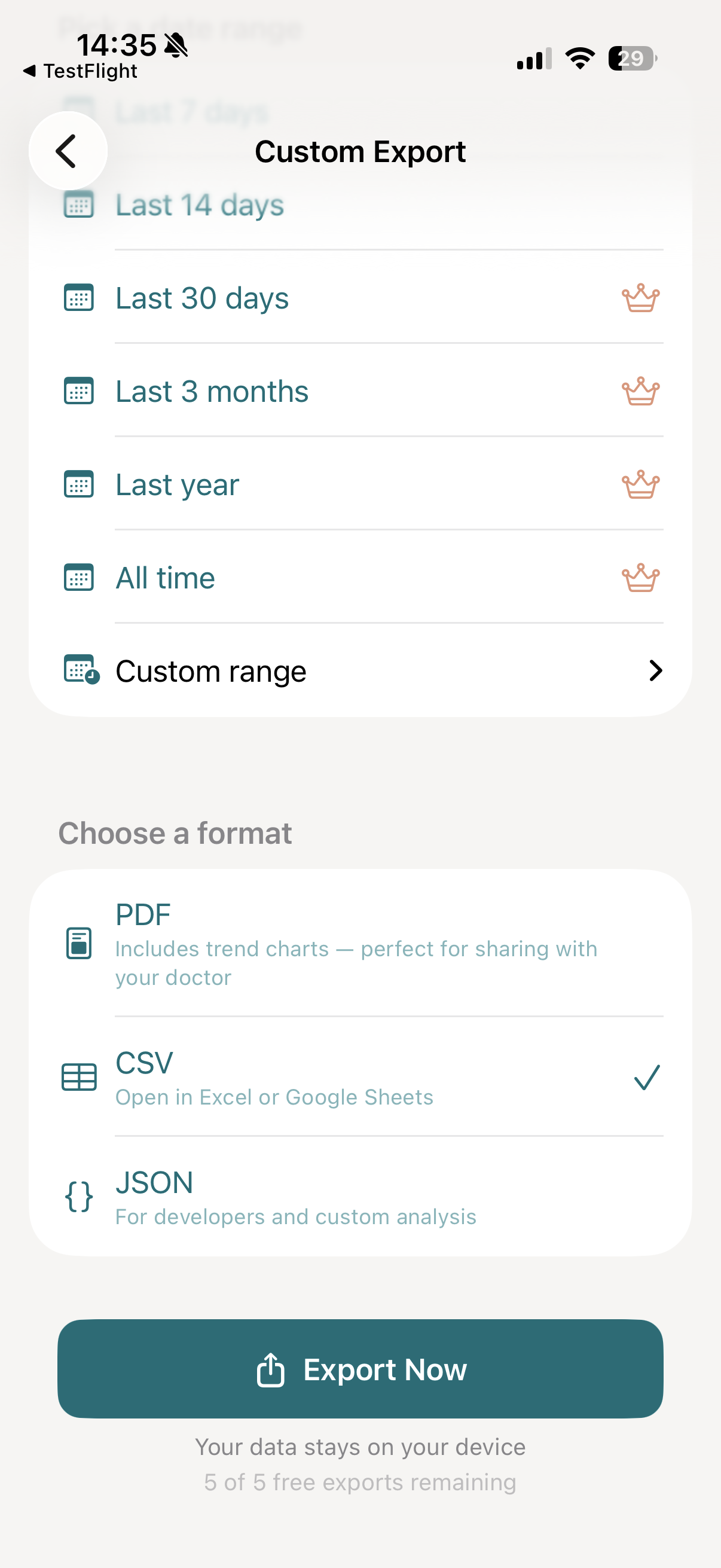
Tap "Export Now"
Tap Export Now. vitalina reads every State of Mind log in your chosen date range from Apple Health, renders the valence chart and feelings breakdown, and generates your file - usually within a few seconds.
Preview and share with your therapist
Once your export is ready, you'll see a full preview of the file - the cover page lists the date range and entry count, followed by the valence trend chart, the feelings breakdown, and the complete log table with every emotion and association you tagged.
If the full table is overkill for a quick check-in, toggle Charts only at the bottom of the preview to hide the table - the valence chart and feelings breakdown stay.
From here, tap Export to open the iOS share sheet, where you can:
- Email it to your therapist or care team before your appointment
- AirDrop or share via Messages to anyone nearby
- Save to Files on your iPhone or iCloud Drive
- Print a physical copy to bring to the clinic
What an Apple Health mental health log actually contains
Each State of Mind entry stored by Apple Health is a small, structured record of your mental health at a point in time. It carries six pieces of information that vitalina surfaces in every export:
- Kind - Momentary Emotion (how you feel right now) or Daily Mood (how you felt overall today)
- Valence - Apple's pleasantness value on a continuous scale from -1.0 (very unpleasant) to +1.0 (very pleasant)
- Valence classification - the coarse label Apple maps the value to: Very Unpleasant, Unpleasant, Slightly Unpleasant, Neutral, Slightly Pleasant, Pleasant, or Very Pleasant
- Emotion labels - any of the 38 feelings Apple offers, including Calm, Content, Grateful, Anxious, Frustrated, Overwhelmed, and Hopeful
- Life-context associations - what was influencing you, including Family, Work, Health, Fitness, Money, Friends, Partner, Self-Care, and others
- Source - the app or device that logged the entry (Mindfulness on Apple Watch, Health on iPhone, or a third-party app that writes to HealthKit)
vitalina presents Apple's valence value and classification factually and never interprets, scores, or diagnoses your mood. The export is a faithful record of what you logged - the meaning belongs to you and your clinician.
Exporting Mindful Minutes alongside your mood logs
The Mental Health group in vitalina also lets you export Mindful Minutes - the meditation and breathwork sessions logged by the Apple Watch Mindfulness app or by any third-party app that writes to HealthKit (Calm, Headspace, Insight Timer, Balance, Oak, Smiling Mind, and others).
Each Mindful Minutes record in the export carries four fields:
- Date and time - when the session started
- Duration in minutes - vitalina derives this from the session's start and end timestamps (Apple Health itself stores mindfulness as an interval, not a number)
- Source app - Mindfulness, Calm, Headspace, or whichever app logged the session
- Source device - the Apple Watch or iPhone model that recorded it
In the PDF, Mindful Minutes appear as a daily-totals chart with summary stats (total minutes, average session length, longest streak); in CSV and JSON each session is one row, so you can pivot or chart it however you like.
Pairing Mindful Minutes with State of Mind on the same export is the practical payoff: a clinician can see your meditation cadence and your mood valence on the same date axis - the kind of context that's hard to recreate from memory.
Who exports Apple Health mental health data?
A clean export of your Apple Health mental health logs is most useful when someone outside the Health app needs to see your mood pattern - or when you want to keep your own record outside Apple's walled garden:
- Therapy and counselling - bring a PDF of the last 4-6 weeks of State of Mind logs to your next CBT, DBT, or psychodynamic session so you and your therapist can spot patterns rather than rely on recall.
- Psychiatry medication reviews - share a valence-over-time chart for an SSRI, SNRI, mood stabiliser, or ADHD medication trial; the date axis lines up with dose changes.
- Depression and anxiety follow-ups - show your GP an objective record of mental health trends between appointments instead of summarising weeks of moods from memory.
- Bipolar mood tracking - export the full mood history with associations so cycles and triggers are visible at a glance.
- Workplace mental health support - hand a redacted summary to occupational health or an EAP counsellor without exposing every Apple Health metric.
- Self-tracking and journaling - keep a personal CSV or JSON archive of your mental health logs so you own the data even if you change phones or stop using iPhone.
Automate weekly mental health exports with Shortcuts
If you check in with your therapist on a regular cadence, you can pair vitalina with Siri Shortcuts to run the same mental health export on a schedule - no need to set up your weekly State of Mind report by hand each time.
See the Shortcuts automation guide for a step-by-step walkthrough.
How much does vitalina cost?
vitalina is free with 5 unique exports and date ranges up to 14 days. vitalina Pro is a one-time purchase from €3.99 (max €4.99 by region, no subscription) that unlocks unlimited exports, extended date ranges up to all time, and Shortcuts automation. Re-exporting the same configuration is always free.
Frequently asked questions about Apple Health mental health export
Can you export mental health data (State of Mind) from Apple Health?
Yes. Apple Health stores every momentary emotion and daily mood you log in its Mental Health section, but has no built-in "Export for your doctor" button for it. vitalina lets you export every mental health entry in your chosen date range as a single PDF, CSV, or JSON file - valence, classification, emotion labels, and life-context associations included.
What is included in a vitalina mental health (State of Mind) export?
Each mental health log is exported with its date and time, kind (Momentary Emotion or Daily Mood), valence on the -1 to 1 scale, valence classification (Very Unpleasant through Very Pleasant), every emotion label you tagged, every life-context association, and the source app or device. The PDF adds a valence trend chart, a feelings breakdown, and summary stat cards - a one-glance mental health report for your therapist.
Can you export Mindful Minutes from Apple Health?
Yes. The same Mental Health group in vitalina also exports Mindful Minutes - every meditation or breathwork session logged by the Apple Watch Mindfulness app or a third-party app (Calm, Headspace, Insight Timer, Balance, and others that write to HealthKit). Each session is exported with its start date and time, duration in minutes, source app, and source device. The PDF adds a daily-totals chart plus summary stats (total minutes, average session length, longest streak); CSV and JSON give you one row per session.
Which iOS versions support Apple Health mental health logging?
State of Mind, Apple Health's built-in mental health logging, arrived in iOS 17 and is available on every iPhone running iOS 17 or later. You log entries from the Mindfulness app on Apple Watch or from the Mental Health / Mental Wellbeing section of the Health app on iPhone.
Does vitalina interpret or diagnose my mental health data?
No. vitalina presents Apple's recorded valence value and classification verbatim and never interprets, scores, or diagnoses your mood. vitalina is not a mental health diagnostic tool - the export is a factual record of what you logged, and any clinical interpretation belongs to you and your clinician.
Is my mental health data safe when I export it?
Yes. Mental health data is among the most sensitive a phone holds, and vitalina treats it that way: everything is processed locally on your iPhone. Nothing is uploaded to any server. There is no account, no cloud storage, and no analytics on your health data. The file stays on your device until you share it.
What languages does vitalina support?#
vitalina is fully localized in 7 languages - English, German, Spanish, French, Portuguese (Brazil), Japanese, Russian. The app interface and every Apple Health metric name are translated, so your exports come out in your language. This page is in English, but the app follows your device language with no setup required. For example, State of Mind appears as:
| Language | State of Mind |
|---|---|
| EnglishEnglish | State of Mind |
| GermanDeutsch | Gemütszustand |
| SpanishEspañol | Estado de ánimo |
| FrenchFrançais | État d'esprit |
| Portuguese (Brazil)Português (Brasil) | Estado emocional |
| Japanese日本語 | 心の状態 |
| RussianРусский | Душевное состояние |
Keep reading
Other Apple Health export guides
Step-by-step tutorials for every metric vitalina can export.
- Export Blood PressureSystolic and diastolic readings for your cardiologist.
- Export Heart RateResting, active, and HRV for your cardiologist or sports medicine doctor.
- Export Blood GlucoseCGM and fingerstick readings for your endocrinologist.
- Export Sleep DataSleep stages and duration for sleep specialists.
- Export WeightWeight, BMI, and body fat trends for your dietician or GP.
- Export ActivitySteps, distance, and active energy for physical therapy or rehab.
- Export WorkoutsWorkout sessions with duration, calories, and heart rate.
- Export Cycle TrackingPeriod flow, spotting, cramps, and basal body temperature for your OB-GYN.
- Export Calories & NutritionDaily calories, macros, vitamins, and minerals for your dietician or nutritionist.
- Export ECGApple Watch ECG strips with waveform, classification, and average heart rate for your cardiologist.
- Export SymptomsGeneral Symptoms like fever, cough, and dizziness with their severity for your doctor.
- Export MedicationsYour Apple Health medication list and full dose log for your doctor - iOS 26 and later.
- Export Format ReferenceExact CSV columns and JSON schemas, plus a searchable dictionary of every exportable Apple Health metric.
- Export Apps & DevicesRenpho, Omron, Eight Sleep, Stelo, Flo and more - export data from any app that syncs to Apple Health.
- Export ExcelOpen your Apple Health CSV in Excel and build charts or PivotTables - works on Windows, Mac, and iPad.